
SSL Certificates in Firefox 3.5
Firefox 3.5 was released yesterday and it offers some important improvements in speed and new web standards. It also makes a few changes to the way that SSL Certificates are handled. Primarily, it changes how SSL errors are displayed:
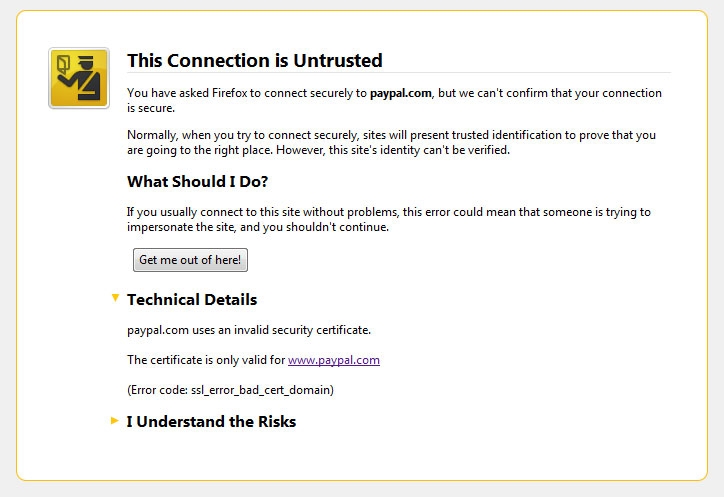
The SSL certificate errors in Firefox 3.5 place great importance in making it clear to users that there is a problem with the certificate on a site. In some cases, the "Technical Details" section, which actually explains what is wrong, is not even shown until the user clicks on it. Further, if the user still wants to continue to the site (if the site is using a self-signed certificate, for example), he will have to click on "I Understand the Risks" and then the "Add Exception" button. This adds an extra click to the process of approving a self-signed certificate. While this seems small, many Firefox 3.5 users will likely complain just like they complained about the way that SSL Errors are handled in Firefox 3.0.
EV SSL Certificates
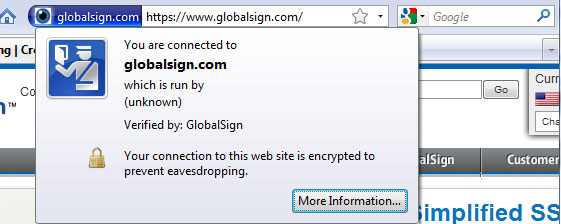 The interface for EV SSL Certificates is the same, but there appears to be an issue with EV certificates issued by Globalsign, Trustwave, and CyberTrust. EV certificates issued by these providers, including the certificate on Mozilla's own https://addons.mozilla.org, are displayed as normal SSL Certificates with the blue bar instead of the green bar.
It appears that this is caused by certificates from those providers not having OCSP set up correctly. A bug report has been submitted about it, and users have asked about it ,but more information should be provided soon. Thanks to Paul Smith for informing us of this issue.
Multi-level domains and Wildcard Certificates
It appears the new update has changed the way that Firefox uses Wildcard certificates. Previous versions of Firefox would let you use a wildcard certificates for *.example.com to secure www.site1.example.com. It now will only allow wildcard certificates to work on the first level of subdomains just like Internet Explorer. This was apparently intended and no plans to revert to the previous behavior have been found.
Originally posted on Wed Jul 1, 2009